Published: December 20, 2025 by Knowledge_Gainers
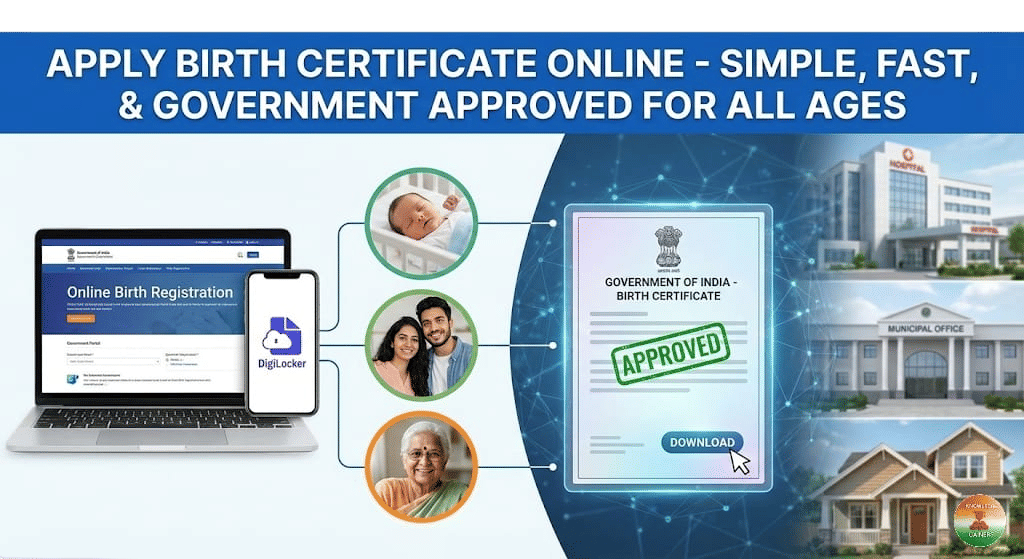
Applying for a Birth Certificate in India has transformed from a tedious, queue-filled chore into a streamlined digital experience. Whether you are a new parent registering a newborn or an adult (even up to 60 years old) applying for a certificate for the first time, the government’s online Civil Registration System (CRS) and various state portals have made it accessible to everyone.
This guide will walk you through the entire process - eligibility, documents, and the step-by-step application method - to help you secure this crucial identity document from the comfort of your home.
Why Apply Online?
Gone are the days of relying on middlemen. The digital system ensures:
Transparency: No hidden fees or bribes.
Speed: Faster verification and approval.
Convenience: Apply from your mobile or computer 24/7.
Tracking: Real-time updates on your application status.
Eligibility: Who Can Apply?
The online facility is open to all Indian citizens, but the process differs slightly based on the timing of the application:
For Newborns (Within 21 Days): Parents can apply directly without paying any late fee. This is the standard registration process.
For Delayed Registration (After 21 Days to 1 Year): Registration requires written permission from the prescribed authority and a late fee.
For All Ages (After 1 Year): If you are an adult (20, 40, or even 60 years old) and your birth was never registered, you can still apply! This requires an order from a First Class Magistrate or Sub-Divisional Magistrate (SDM), verifying the birth date and place.
Required Documents Checklist
To avoid rejection, ensure you have clear scans of the following documents.
A. For Newborns (Applied within 21 days)
Proof of Birth: Discharge slip or birth report issued by the Hospital/Nursing Home.
Parent’s Identity: Aadhaar Card, Voter ID, or Ration Card of both parents.
Address Proof: Verification of the parents' permanent address.
Marriage Certificate: (Optional in some states but recommended).
B. For Adults / Delayed Registration (Applied after 1 year)
If applying for an adult or an older child, the list is more extensive because you must prove the birth was not registered earlier:
Non-Availability Certificate (NAC): A document from the registrar stating that no birth record currently exists for you.
Affidavit: A notarized affidavit from parents or the applicant (if adult) stating the date, place, and reason for the delay.
Proof of Date of Birth: School Leaving Certificate (SLC), Board Marksheet (10th), or Vaccination Card.
Identity Proof: Aadhaar Card, PAN Card, or Passport.
SDM/Magistrate Order: A mandatory order approving the late registration.
Step-by-Step Online Application Process
Step 1: Choose the Right Portal
Central Portal: For many states (like Chandigarh, Chhattisgarh, Maharashtra, etc.), use the Civil Registration System (CRS) at crsorgi.gov.in.
State Portals: States like Delhi (e-District), Kerala (Sevana), and Punjab (Connect Punjab) have their own dedicated websites. Search for "Birth Registration [Your State]" on Google to confirm.
Step 2: User Registration
Visit the official portal and click on "Sign Up" or "Register".
Create an account using your mobile number and email ID. Verify it via OTP.
Step 3: Fill the Application Form
Login and select "Apply for Birth Certificate" (Form-1 for births).
Enter Details: Fill in the child’s name (if named), Date of Birth, Gender, Place of Birth (Hospital/Home), and parents' details exactly as they appear on ID proofs.
Step 4: Upload Documents
Scan your documents (PDF/JPEG format) ensuring they are legible.
For delayed cases, upload the Affidavit and SDM Order in the specific section provided.
Step 5: Payment and Submission
Pay the nominal statutory fee (if applicable) online.
Submit the form. You will receive a unique Application Reference Number. Save this!
How to Check Status & Download
Track: Return to the portal and click on "Check Application Status." Enter your Reference Number.
Verify: Once the status shows "Approved" or "Generated," the certificate is ready.
Download: Click the download button to get the digitally signed Birth Certificate in PDF format.
DigiLocker: You can also pull this certificate into your DigiLocker app for easy access anytime.
Important Links
Official Central Portal: crsorgi.gov.in
Service Plus (for rural areas): serviceonline.gov.in
Final Thoughts
Whether for school admissions, obtaining a passport, or visa applications, a Birth Certificate is a non-negotiable document. With the government’s "Digital India" initiative, securing this document for yourself or your child—regardless of age—has never been easier. Apply today and ensure your official identity is secured.
Join our WhatsApp and Telegram Channels
Get Knowledge Gainers updates on our WhatsApp and Telegram Channels